Recurring tasks, meeting notes, and updates
Set up recurring tasks, meeting notes, and more with repeating database templates
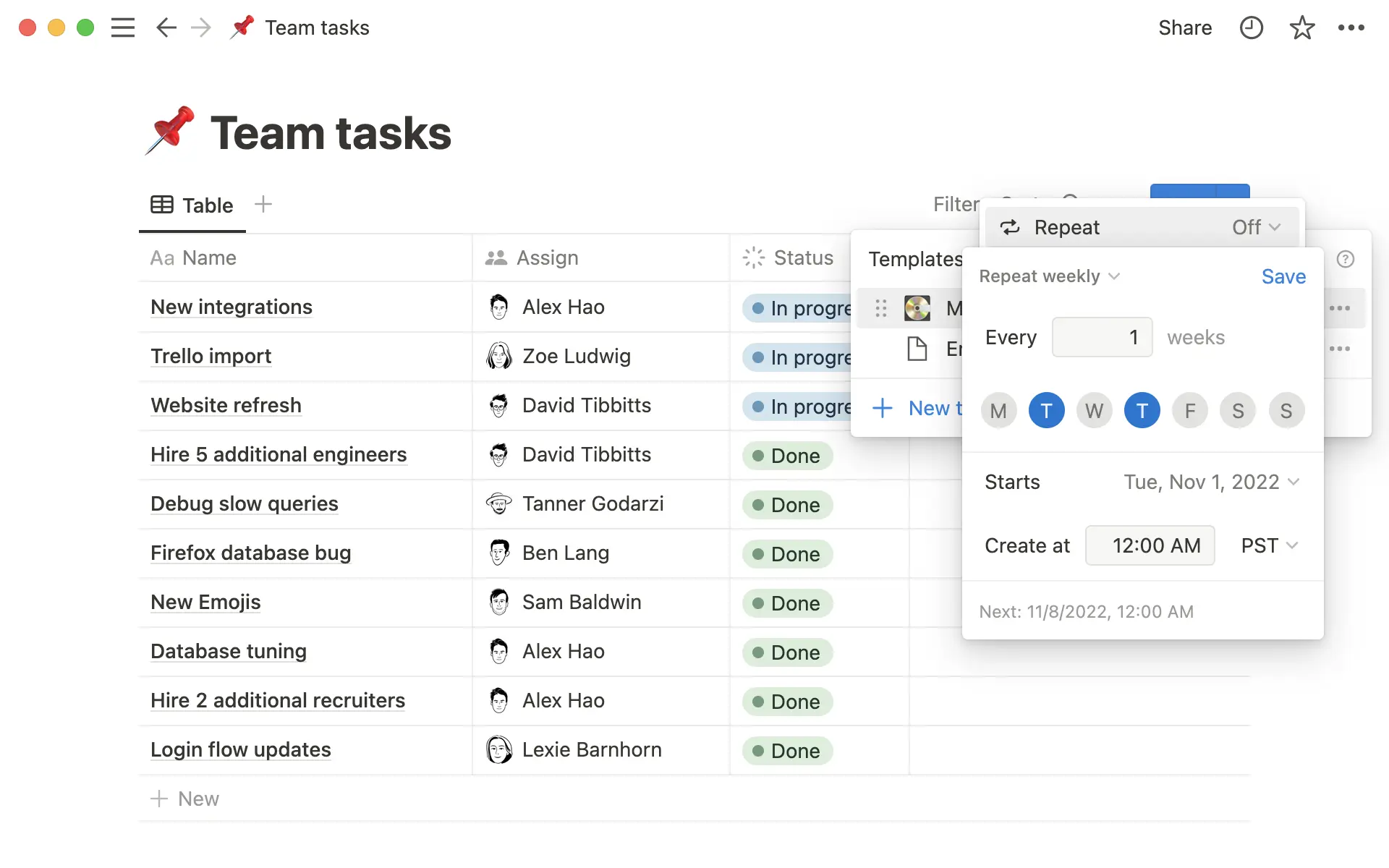
Our tools should do more for us. Now you can set a database template to duplicate on a repeating basis. Here are some ways to use it:
Create recurring tasks to track daily or weekly to-dos
Automatically generate a meeting agenda for a daily standup
Create project updates on a weekly or daily basis
To use it, open a Notion database and click on the blue arrow on the New button to see your database templates. Click on ... on any template, where you’ll see a new option called Repeat. Select the frequency for the template to be automatically duplicated.
Remove vertical gridlines in Table view
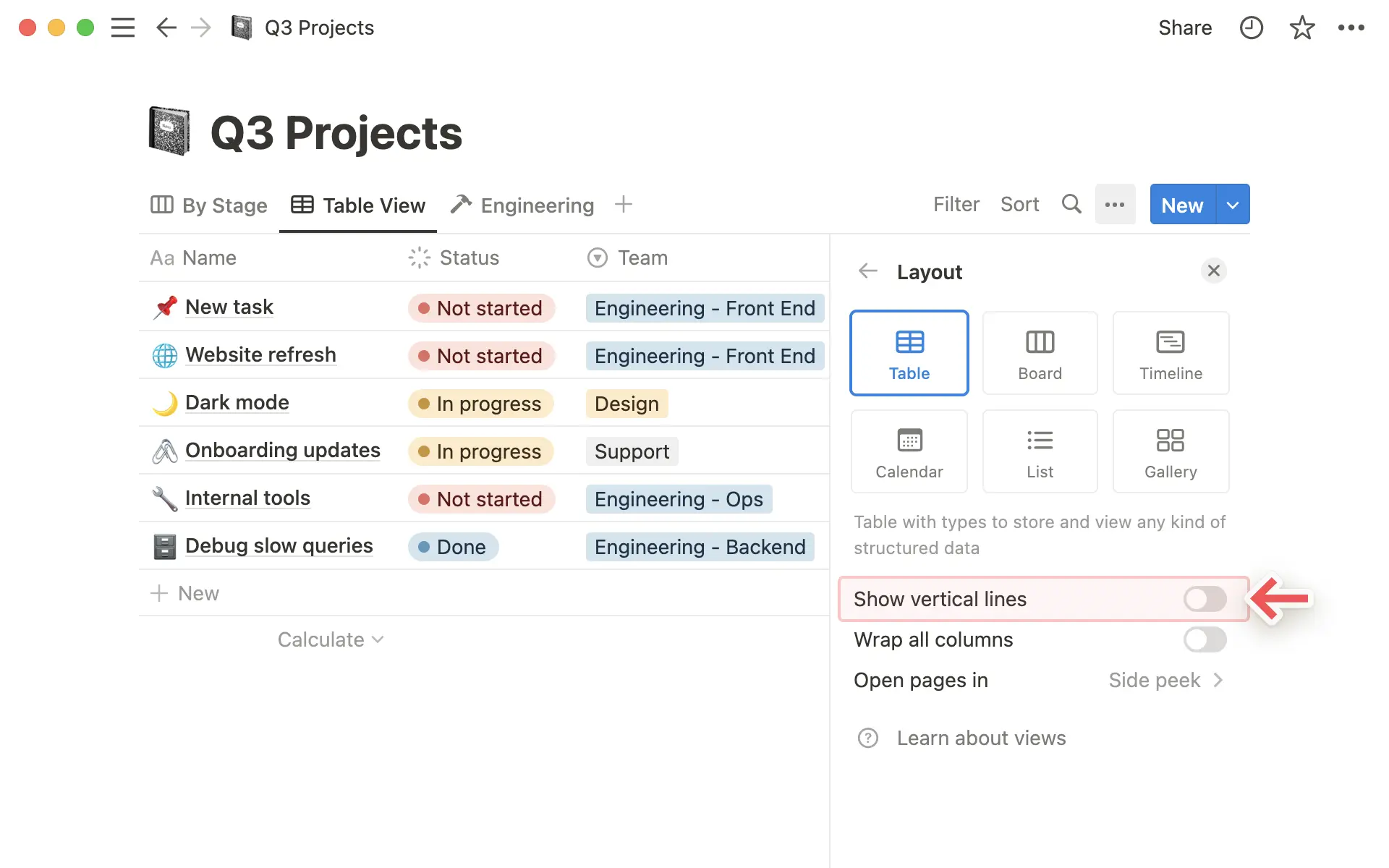
You can now remove vertical gridlines from your database Table view to get a cleaner look. Here’s how:
Go to the
...menu in the top right-hand side of your Notion database in a Table viewClick on
Layoutand toggle gridlines on or off
Connect Notion’s “People” property in Synced Databases for GitHub and Jira
You can now connect the People property from your Notion database to identities in GitHub and Jira when using Synced Databases (available in open beta). Once you’ve enabled this setup in GitHub and Jira, fields that feature people – like GitHub contributors and Jira assignees – will be mapped to their profiles in Notion, based on email.
Bug fixes & improvements
For new API features & improvements, go to developers.notion.com/changelog →


